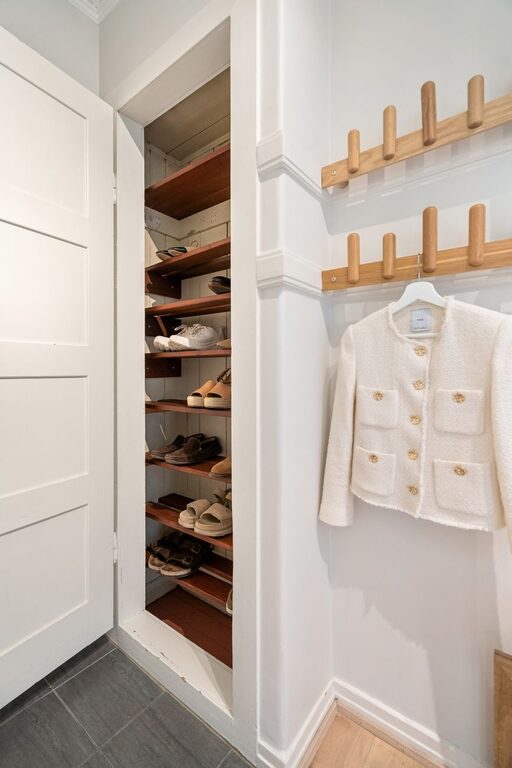
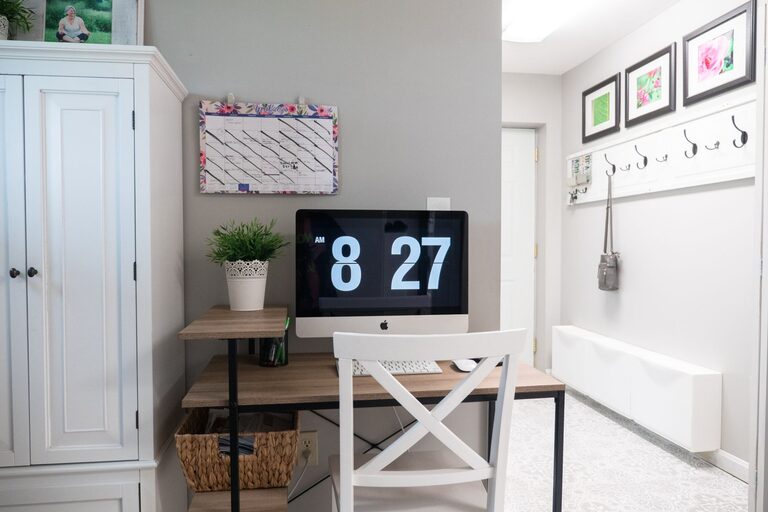
A family command center is a dedicated space where you can manage the details of daily life. It may include a calendar, a place for keys, school papers, shopping lists, mail, and reminders. The goal is not to create a perfect display. It is to make important information easy to see and everyday items easy to find.
A well-planned command center can reduce clutter, improve communication, and help everyone understand what needs to happen next. It can be as simple as a small wall near the kitchen or as detailed as a full entryway organization system.
Choose the Right Location
Start by choosing a spot that your family naturally passes through each day. The best location is convenient, visible, and easy for both adults and children to reach.
Common locations include:
– A wall near the kitchen
– The entryway or mudroom
– A hallway near the garage
– A section of the home office
– A small area near the family room
Avoid placing the command center in a room that family members rarely use. If the space is out of sight, it may be forgotten. Also consider lighting, available wall space, and whether the area is wide enough for people to stand and use it comfortably.
Before buying supplies, measure the wall and note the location of outlets, doors, and light switches. These details can affect the size and layout of your command center.
Decide What Your Family Needs
Every household has different priorities. A family with young children may need school paper storage and a simple picture-based schedule. A household with older children may benefit from activity reminders, charging space, and individual mail holders.
Make a quick list of the information and items your family handles most often. Consider:
– Weekly schedules
– School forms and permission slips
– Mail and bills
– Keys and sunglasses
– Grocery lists
– Chore reminders
– Lunch supplies
– Important phone numbers
– Sports equipment or activity bags
– Reusable shopping bags
Try not to include everything. A command center works best when it focuses on the tasks your family manages every day or every week.
Build the Core Components
You do not need a large collection of products. A few practical components can create an effective setup.
1. Family Calendar
A shared calendar is often the central feature. Use a large monthly calendar, a weekly planner, or a dry-erase board. Choose the format that matches your family’s planning style.
Write down school events, appointments, activities, work commitments, birthdays, and travel plans. Use a consistent color system if it helps. For example, each family member can have a different color, or colors can represent types of events.
Keep the calendar simple enough to read at a glance. If it becomes crowded, move extra details to a digital calendar or a separate planning tool.
2. Paper Management
Paper can quickly take over a home, so create a clear system for handling it. Use labeled folders, wall pockets, or small file boxes for categories such as:
– To sign
– To file
– To return
– School information
– Receipts
– Outgoing mail
Set a routine for reviewing these papers. A command center is more useful when papers move through the system instead of collecting in one place indefinitely.
Consider adding a recycling bin or shredder nearby if space allows. This makes it easier to deal with unwanted paper immediately.
3. Key and Everyday Item Storage
Hooks, trays, and small baskets can keep frequently used items organized. Assign each family member a hook or container for keys, bags, or other personal items.
For children, install hooks at a reachable height. Labels or names can help younger children learn where their belongings go. A small tray can hold items that do not need to be hung, such as sunglasses, wallets, or access cards.
Avoid making the storage area too crowded. If there are more items than available space, decide which belongings truly need to stay at the command center.
4. Task and Reminder Area
A small whiteboard or chalkboard can hold short reminders, shopping needs, or daily tasks. Use it for information that changes often rather than permanent instructions.
You can also add a simple chore chart. Keep tasks clear and specific, such as “empty dishwasher” or “put laundry away.” If the chart is used by children, consider adding checkboxes or movable markers to make progress easy to see.
Choose a Simple Layout
Arrange the command center according to how your family uses it. Place the most important information at eye level and frequently used items within easy reach.
A practical layout might include:
– The calendar at the center
– Paper folders on one side
– Hooks below or beside the calendar
– A small shelf or tray for personal items
– A whiteboard for quick notes
– A basket for outgoing items
Leave enough space between components so the area does not feel crowded. If the wall is small, use a vertical layout. A narrow shelf, stacked folders, and hooks can provide plenty of storage without taking up much width.
Use matching frames, labels, or containers if you want a coordinated look. However, function matters more than appearance. Choose materials that are easy to clean and durable enough for daily use.
Add Clear Labels
Labels make a shared system easier to understand. They are especially helpful when several people use the same storage area.
Use short, specific labels such as:
– School
– To Do
– Library Books
– Outgoing
– Keys
– Snacks
– Activity Bags
If young children use the command center, combine words with simple pictures. Place labels where they can be seen without moving baskets or opening drawers.
Avoid creating too many categories. Several broad labels are usually easier to maintain than a large number of highly specific ones.
Create a Family Routine
A command center only works when the family uses it consistently. Set a regular time to update the calendar, clear papers, and return items to their assigned places.
A weekly reset may include:
- Review the upcoming calendar.
- Remove old notes and expired papers.
- Add new events and reminders.
- Empty mail and paper folders.
- Restock shopping lists or household supplies.
- Return misplaced items to their proper locations.
Choose a time that fits your schedule, such as Sunday evening or Monday morning. The reset does not need to take long. Ten to fifteen minutes may be enough once the system is established.
Encourage every family member to participate. Children can place papers in folders, check their schedules, or return items to their hooks. Shared responsibility helps prevent the command center from becoming one person’s job.
Keep It Manageable
The most effective command center is one your family can maintain. If the area becomes cluttered, simplify it instead of adding more storage.
Review the setup after a few weeks and ask:
– Which parts are used most often?
– What items still get lost?
– Are the labels clear?
– Is anything difficult for children to reach?
– Which papers or reminders are unnecessary?
– Does the layout match our daily routine?
Move, remove, or replace components as needed. Your family’s needs may change over time, so the command center should be flexible.
Final Thoughts
A family command center does not need to be expensive or elaborate. With a visible calendar, practical storage, clear labels, and a regular reset routine, you can create a reliable place for managing daily life.
Start with the essentials and add features only when they solve a real problem. A simple system that everyone uses will be more helpful than a complicated setup that is difficult to maintain.